Lily & Bloom: a florist demo built around the order button
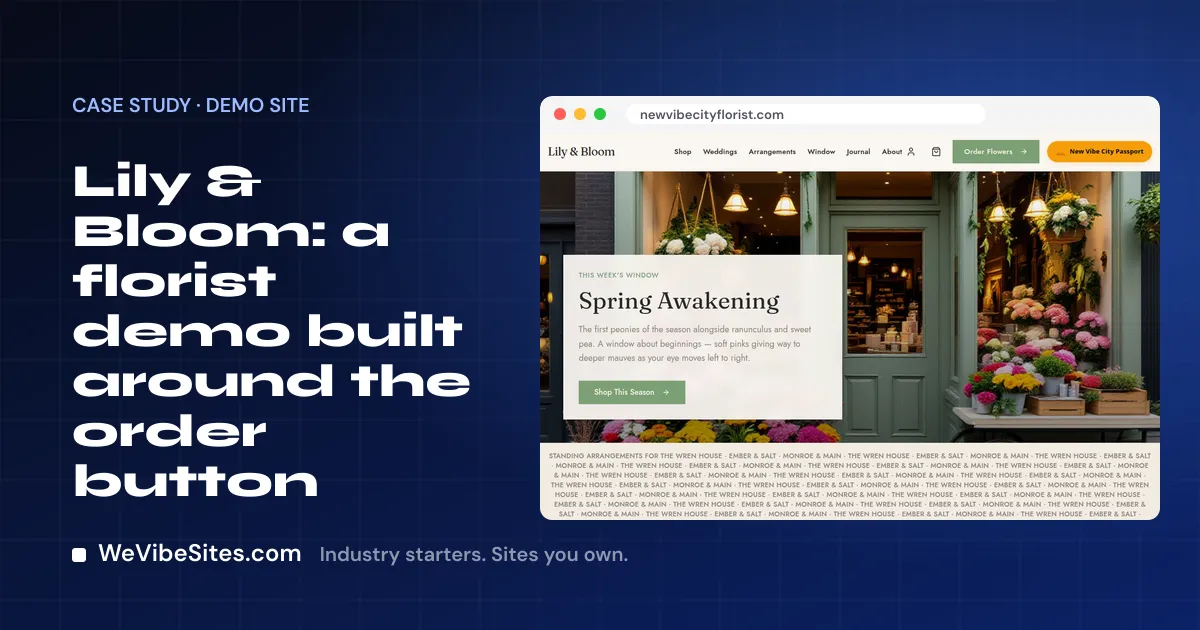
It is late in the afternoon. A man remembers it is his anniversary. He has a short window to fix this. He pulls out his phone and searches for flowers near him.
The shop that wins is the one where he can pick a bouquet and pay in a minute or two. Not the one with a phone number and a photo of the front door.
That is the idea behind Lily & Bloom.
A made-up shop, on purpose
Lily & Bloom is a made-up business. We run it as a demo at newvibecityflorist.com. There is no real Lily, and there is no shop on Main Street. We built it to show one look a florist site could have.
Some features on the demo are there only to show what is possible. They are not included unless they are on your Launch list. We will point those out as we go.
What a visitor can do
The top menu tells you what kind of shop this is. It has Shop, Weddings, Arrangements, Window, Journal and About. On the right is one button that matters most: Order Flowers.
- Shop. Browse bouquets, put them in a cart and check out.
- Weddings. A page for couples, with packages and a way to ask about a date.
- Window. A record of past window displays, like a scrapbook of the shop's seasons.
- Journal. Short posts about flowers and the shop.
The footer has the hours, the address and the phone number, so a walk-in can find the door. The tagline is short and sweet: "From the stem up."
There is also an AI bouquet visualizer, which makes a picture of a custom bouquet idea. That one is shown on the demo. It is not included unless it is on your Launch list. The same goes for the digital bouquet cards and the window display archive.
How it was built
We built Lily & Bloom by vibe coding. We told the site what we wanted, in plain English. An AI tool wrote the change, and a person checked it.
This is the same thing you learn on your Launch call. After that, your site is yours to change by typing. A few things a florist might type:
- "Add a Mother's Day page with our three best bouquets."
- "Mark the peony bouquet as sold out until next week."
- "Change our Sunday hours."
You make one real change like this on the call, with us there. We also show you the visual editor, so you can click a word or a photo and change it where it sits.
What a real florist gets
A Launch is $2,500, paid once. You get two hours of live building with one of our people. Here is what we can set up and test with you, if you want each one:
- An online store. Your bouquets listed, and orders paid into your own Stripe, PayPal or Square account. We never hold your money.
- Online booking. For wedding talks or event visits, linked to your Google or Microsoft calendar. We make one real test booking.
- A client portal. Brides and event planners sign in with a code we email them. They see their bookings, quotes, invoices and files.
- One contact list. Every order, form and booking becomes a contact. We bring in the contacts you already have.
Your site uses your real shop name, your photos, your logo and your colors. It works on a phone, for the man who just remembered his anniversary. Kind words from customers go up only with their permission, in their own words.
The site runs in your own Replit account. We charge $0 a month, and your host bills about $20 US a month for use. You own the code and can leave any time with a full copy.
Go smell the roses
Visit Lily & Bloom and click around. Then read about the Florist starter, or go ahead and start your Launch. If you want to talk first, book a free call.